Blog/AI tools
AI tools · 10 min read
Before the coffee is ready: how I automate four roles with AI in six minutes
I do not type any more. I speak to Claude before I switch the coffee machine on, and about six minutes later sales, marketing, product and my team are lined up on one page. Here is how to automate your work with AI the same way.


Key takeaways
- Speak, do not type: the more context AI gets, the better it decides.
- Start with one repetitive job, not a whole system.
- The pattern never changes: AI reads and prepares, you approve.
- A scheduled morning brief is the easiest first win.
01The coffee test
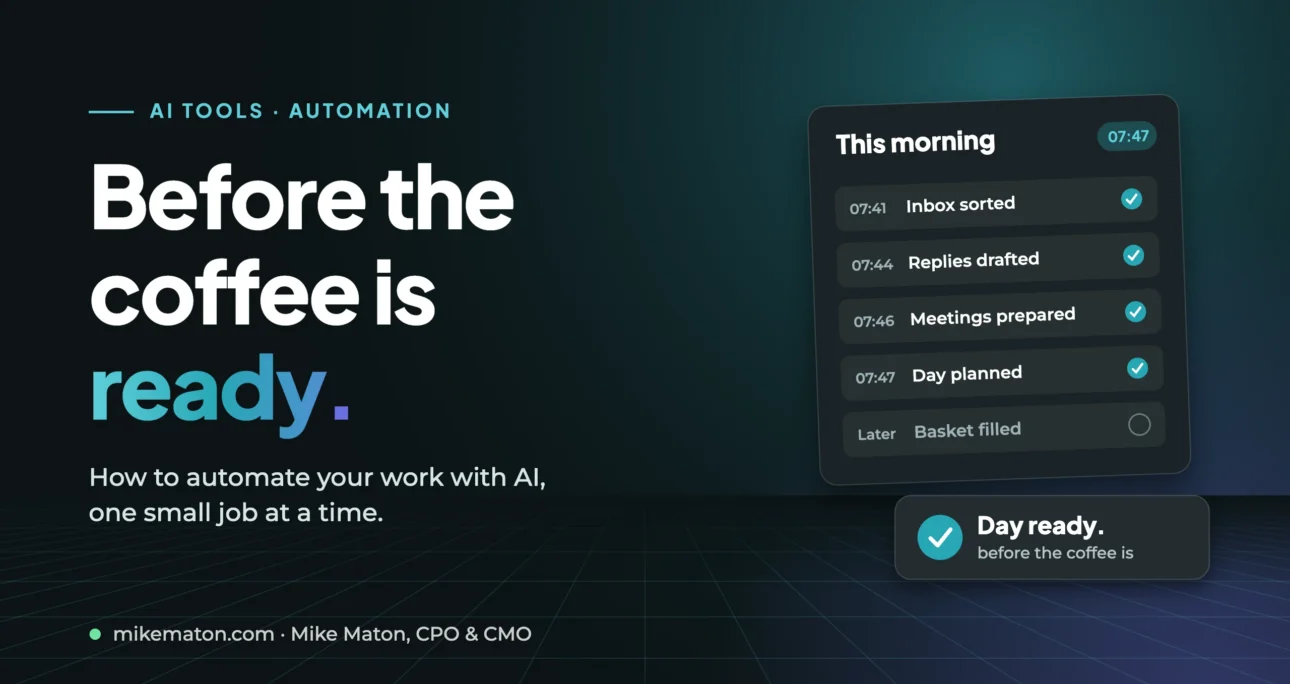
Most mornings start the same way for me. I walk in, ask Claude to start running my tasks, and go to switch the coffee machine on. When I come back, a full analysis of my day is waiting: the meetings, the replies people are waiting for, the tickets that are due.
After my last post about this, companies and people kept asking me the same question: how do I automate my own working day? This article is my answer. Nothing here needs a developer. If you can describe a job in a paragraph, you can automate your work with AI.
I call it the coffee test. If AI can finish a job in the time it takes to make a coffee, and you can check it in the time it takes to drink one, automate it.
02Why this works now
Until recently AI was a chat window. You asked, it answered, and you still did the work. Two things changed that: connectors, which let AI read your calendar, email and other tools, and scheduled tasks, which let it start without you.
That is why morning briefs are everywhere right now. One writer at Tom’s Guide has Claude read every newsletter and hand back a two-minute digest before work. The G2 guide to automating tasks puts email, content, documents, notes and sales outreach at the top of its list. The tools are ready. What most people lack is a place to start.
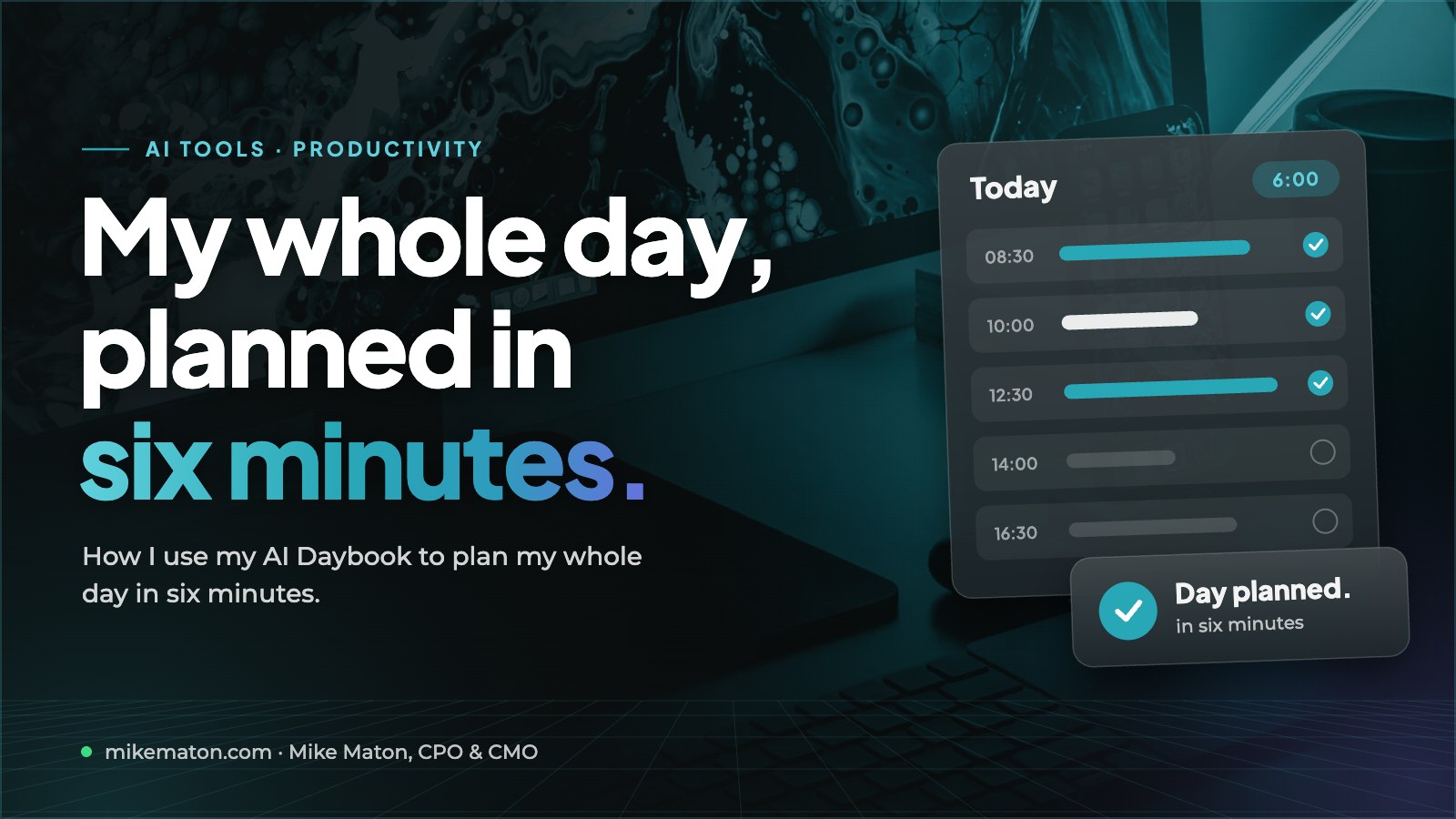
I have built a set of these for my own work. They are all on the AI tools page, and I wrote about the first one in how I plan my whole day in six minutes.
03I stopped typing. Now I only speak
The biggest change in how I work is not a tool. It is that I stopped typing. I speak to Claude instead, the way I would brief a colleague at the start of the day.
Speaking gives AI far more to work with. When I type, I write one tidy line. When I talk, I say everything that is on my mind: the customer who is waiting, the ticket that worries me, the idea from the drive in. The more context it gets, the better the decisions it can prepare, and the more it can start updating for me.
If you take one thing from this article, take this: stop writing short prompts. Talk for two minutes instead.
04One person, four roles
In a start-up nobody has one job. Most days I am in sales, marketing, product and looking after the team, often in the same hour. Each role lives in a different place: a pipeline, a content plan, Jira, email and Slack.
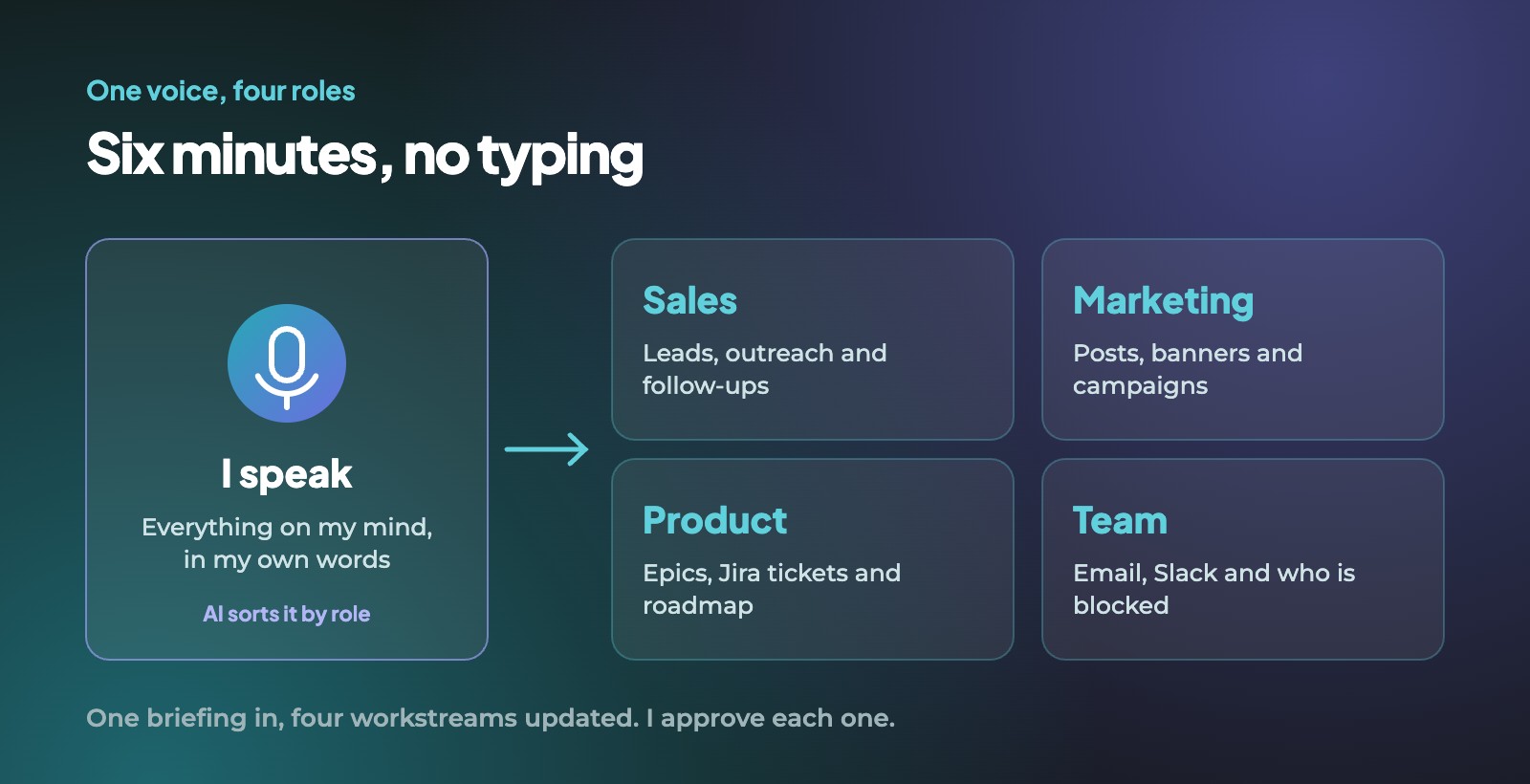
So I do not automate tasks one at a time any more. I give one briefing and ask for all four to be checked and lined up in one go: the leads and follow-ups, the content that is due, the epics and tickets, and anyone on the team who is waiting for me. That is how I automate my work with AI across every role in about six minutes.
05The six-minute morning brief
This is the first thing I would set up. A morning brief reads your calendar, email, chat and task list, then writes one page: what is on today, who is waiting for you, and what can wait.
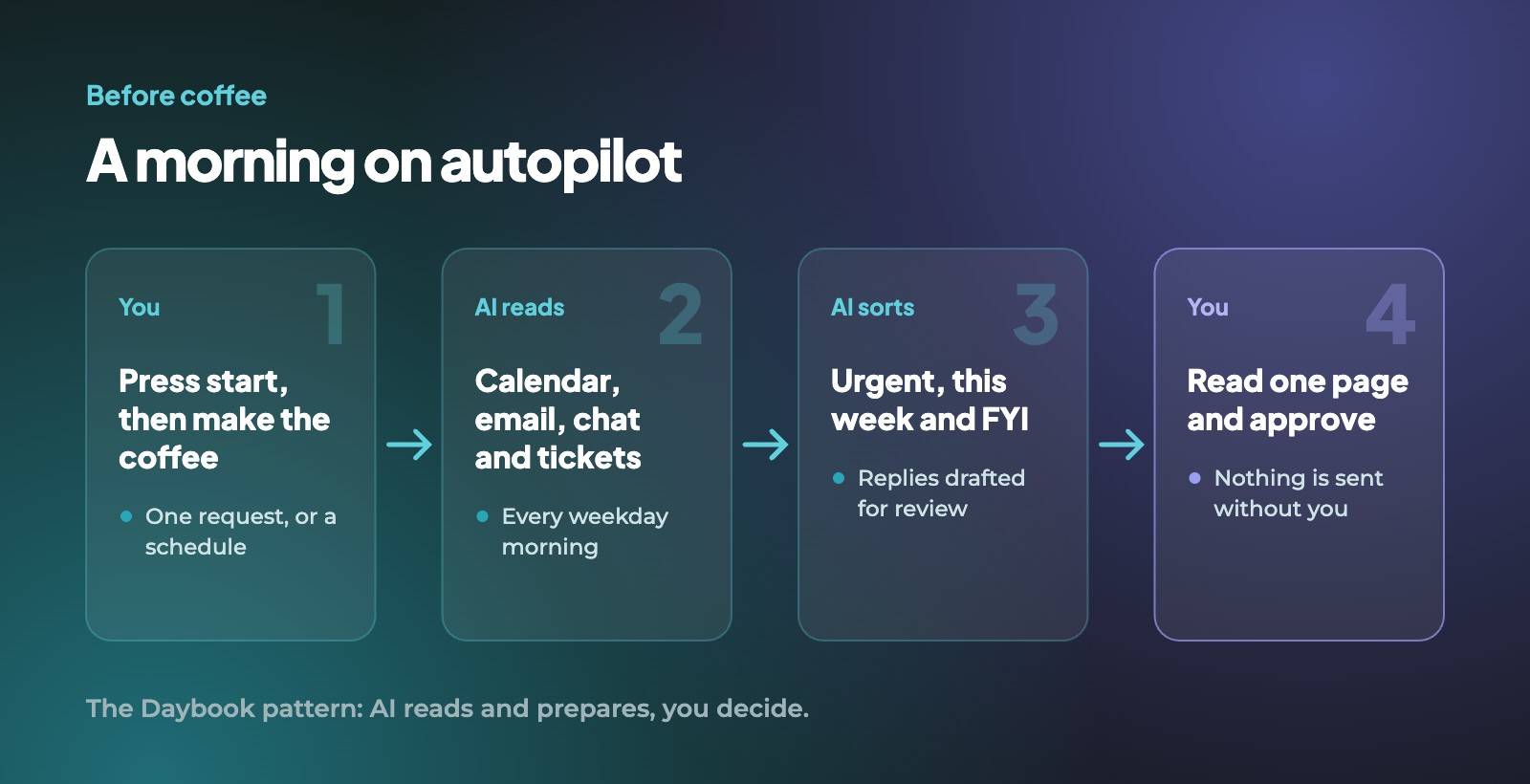
Mine is called the Daybook. It reads Calendar, Gmail, Slack and Jira every weekday, sorts email into urgent, this week and FYI, and lays the day out in the order I will work. You can see it in the AI Daybook case study.
Every weekday at 7:30, read my calendar, my unread email and my open tasks. Write one page: the meetings for today with one line of context each, the people waiting for a reply from me (most urgent first), and anything due today. Draft replies for the urgent ones, but do not send anything.
06Sales: outreach that never forgets
Small teams lose deals in the gaps: a lead nobody contacted, a follow-up that was forgotten. I built an AI sales pipeline for exactly that. It finds the right people, drafts a personal message for each and schedules the follow-ups.
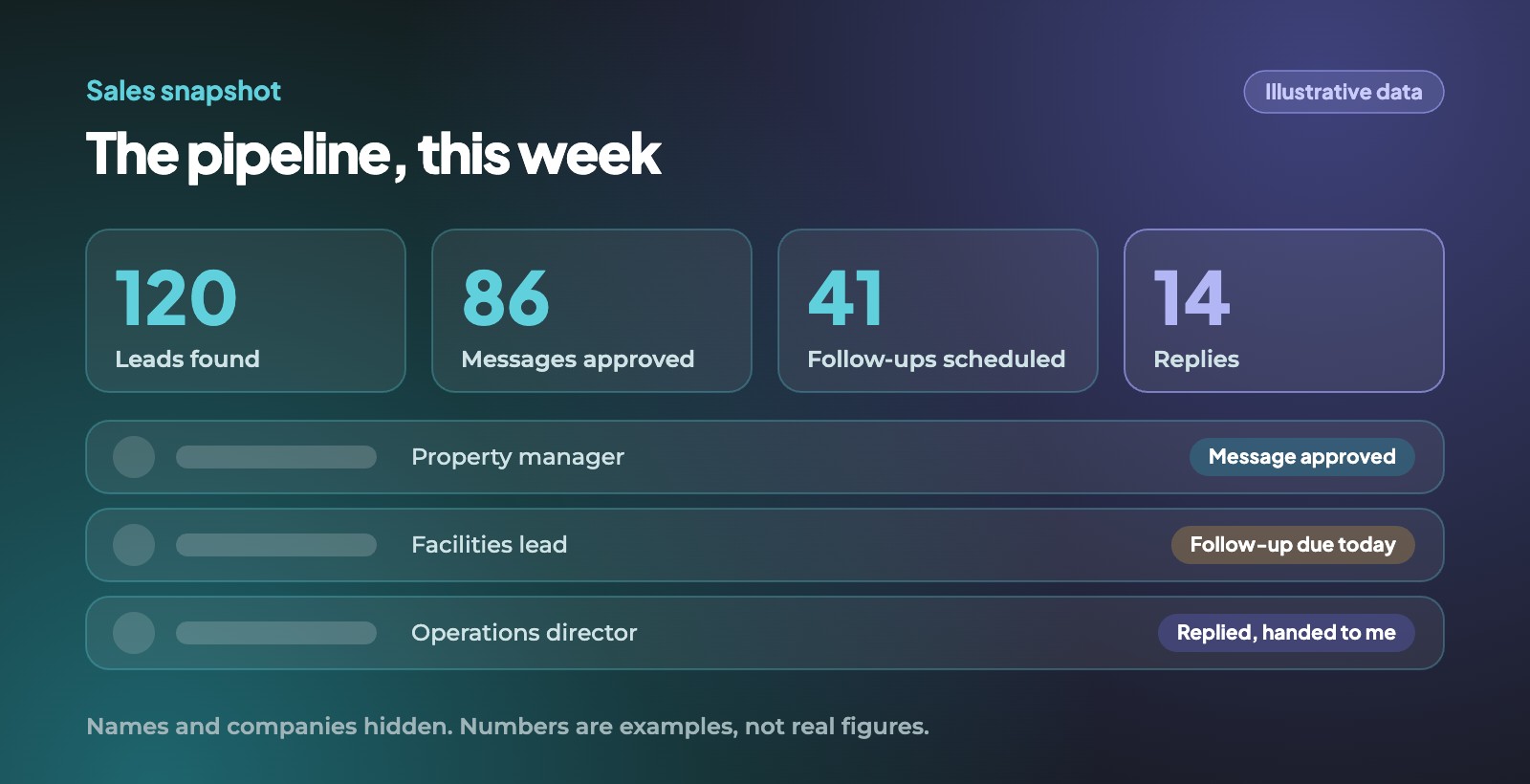
Every message waits in an approval queue. Nothing goes out until a person has read it. If you sell anything, this is the workflow I would copy first. The AI sales pipeline case study shows each step, and I wrote up how it works in detail.
I run the same engine for two brands: the Inspect it AI pipeline and the Smart MasterKey AI pipeline. The messages come from AI outreach templates in the languages each market speaks.
07Product: epics and Jira tickets on one page
As a product lead, a lot of the week can go on finding out where things stand. Which epics are moving, which Jira tickets are blocked, what is due on Friday. That is reading work, and AI is good at reading.
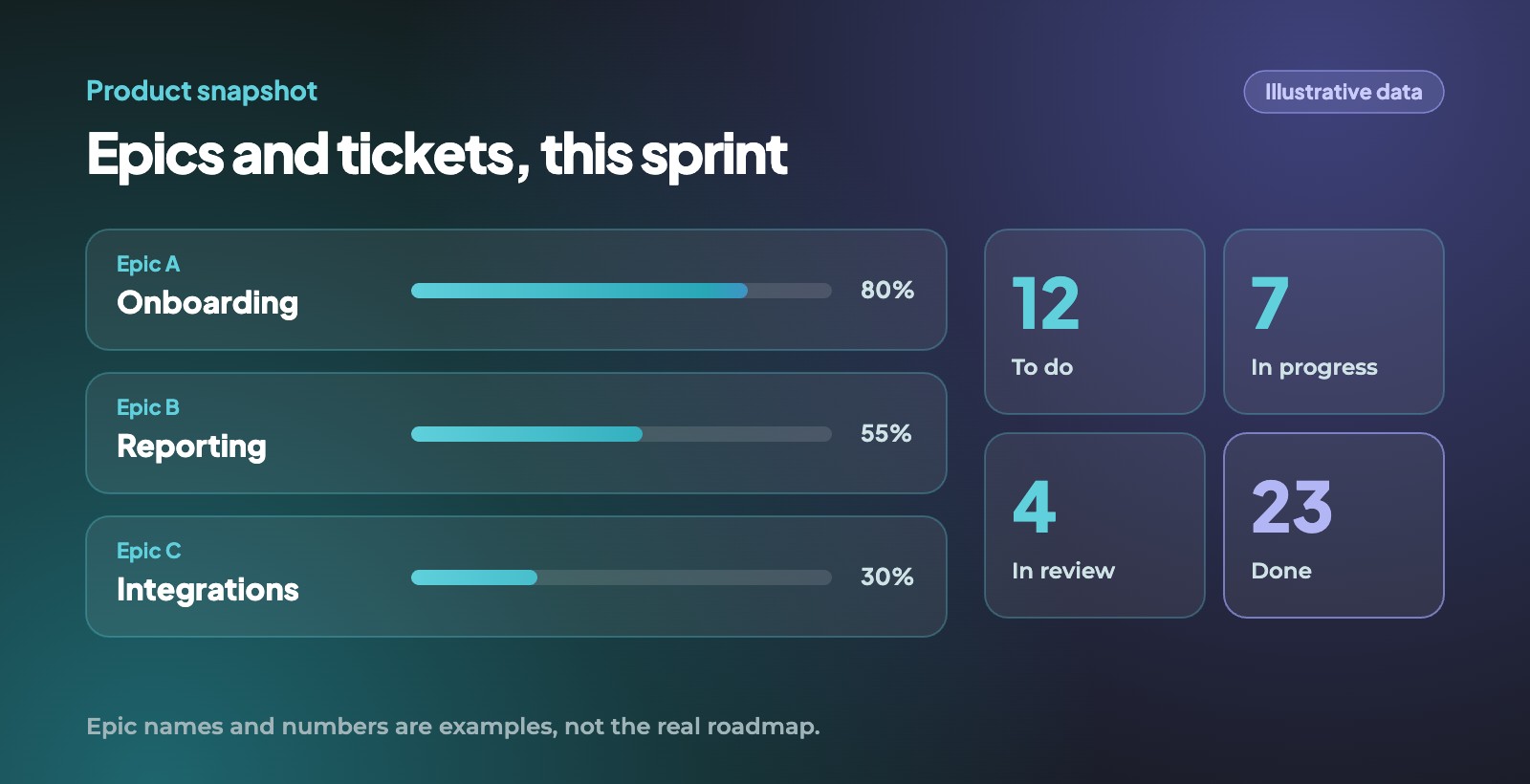
I ask for one status page built from the ticket system: what shipped, what slipped, what needs a decision. When I say what should change, it drafts the ticket updates and makes them once I approve. I still make the decisions. I just stop spending Monday morning collecting the facts.
Every Friday at 15:00, read the tickets from this week on our project board. Write a one-page status: what shipped, what slipped and why, what is blocked, and the three decisions I need to make next week. Keep it under 300 words.
08Marketing: content on a schedule
Marketing has more repeatable work than people admit: briefs, first drafts, banner sizes, social versions of the same message. I use AI as a production partner for websites, blog covers and even a marketing game.
The trick is to give it your brand first: colours, fonts, tone, and the words you never use. Then every draft starts on brand, and your time goes on the idea. Here is how I built a marketing game that way.
The same approach is behind the websites I build and the work in my studio. You can see the results in the portfolio.
09Team: inbox, Slack and meetings
Email is where automation pays back fastest, because most of it is sorting. Let AI group the inbox, count the newsletters instead of showing them, and draft replies to the threads that need one. You read, change and send.
Slack gets the same treatment. I ask who on the team is waiting for me and who looks blocked, so the people come before the paperwork.
- Sort: urgent, this week and FYI
- Draft: replies in your voice, for review
- Prepare: one short brief before every meeting
Meetings are the second win. Before each one, ask for a short brief: who is in the room, what was agreed last time, and the open questions. Afterwards, turn the notes into actions with an owner and a date. Nobody leaves wondering who is doing what.
Want this for your team?
Tell me which jobs eat your week.
I will show you which ones AI can take first, and what a first version could look like.
10At home: the shopping list that fills its own basket
Automation is not only for work. Try this at home: hand AI the shopping list from last week and ask it to fill the basket at your usual shop, then stop and wait for you.
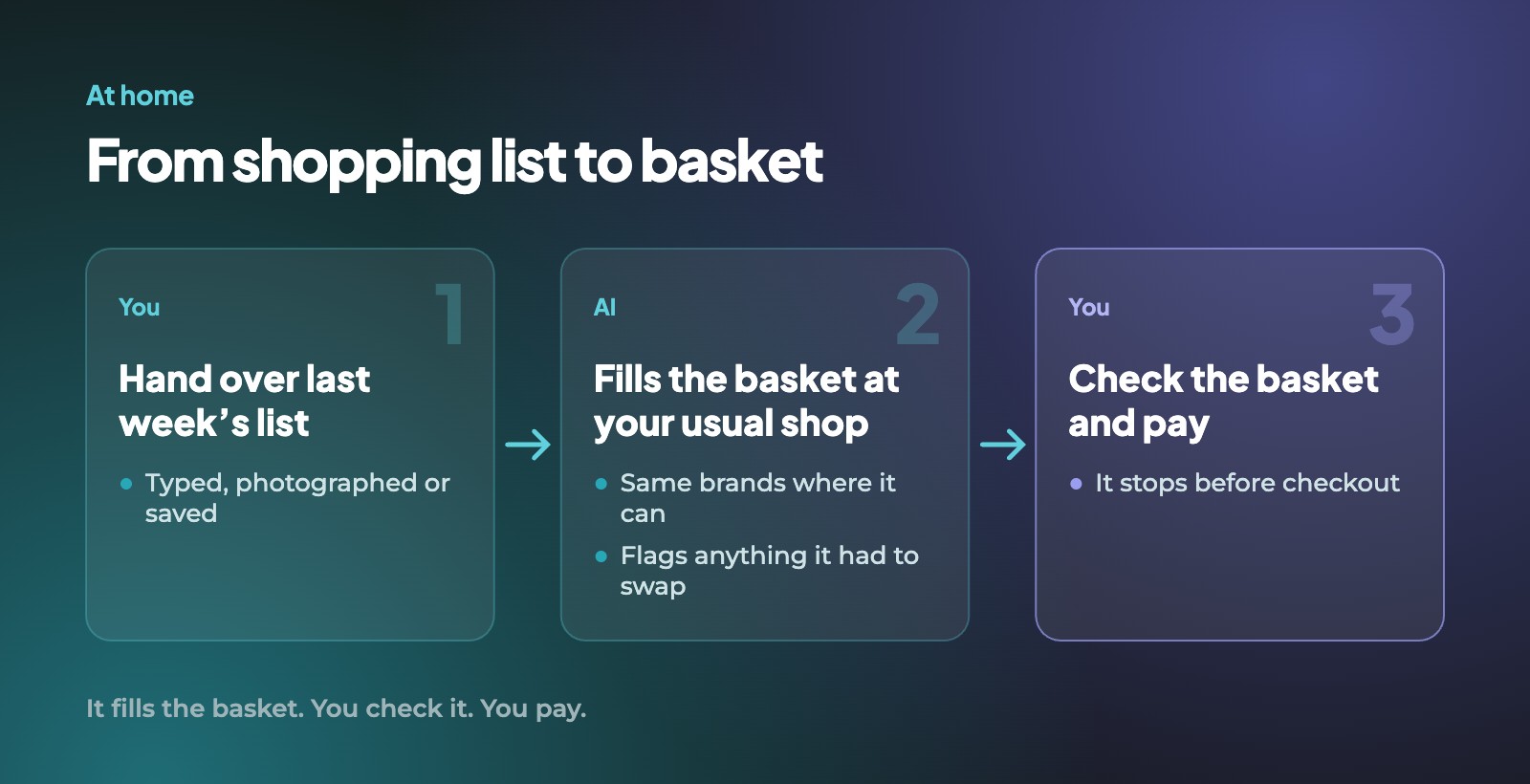
This is quickly becoming normal. Uber Eats now builds a basket from a typed list, a photo of a handwritten one or a screenshot of a recipe, and Instacart does the same from a photo. A browser agent can do it on almost any shop website. The rule does not change: it fills the basket, you check it, and you pay.
Here is my shopping list from last week. Open my usual online shop, add each item to the basket, and choose the same brands as last time where you can. Tell me anything you could not find or had to swap. Stop before checkout so I can check it.
11What I am exploring next: cinematic AI video
My next deep dive is AI video. Not single clips, but full cinematic pieces with a story, a look and a soundtrack. The tools have moved fast this year, and the interesting part is no longer whether a model can make a clip move.
It is workflow. The best advice I have found is to write one shot list and generate every asset from that same brief, so the characters, the light and the style stay consistent from shot to shot. That is how a film crew works, and it suits someone who already runs a studio. I will share what I learn. For now, here is the video work I have made so far.
12The one rule: AI prepares, you approve
Every workflow above follows the same rule. AI reads, sorts, drafts and fills. A person approves. Nothing is sent, published or paid for without you.
This is not caution for its own sake. It is what makes automation safe to run under your own name, every day. The moment a tool speaks for you without asking, you stop trusting it, and a tool you do not trust saves you nothing.
If AI can finish it while the coffee brews, and you can check it while you drink it, automate it.
Mike Maton
13How to automate your work with AI this afternoon
Do not start with a system. Start with one job you do every week and slightly dread.
- Pick one repetitive job you can describe in a paragraph.
- Connect only the tools that job needs.
- Write the prompt the way you would brief a new assistant.
- Run it by hand for a week and correct it.
- Schedule it, then move on to the next job.
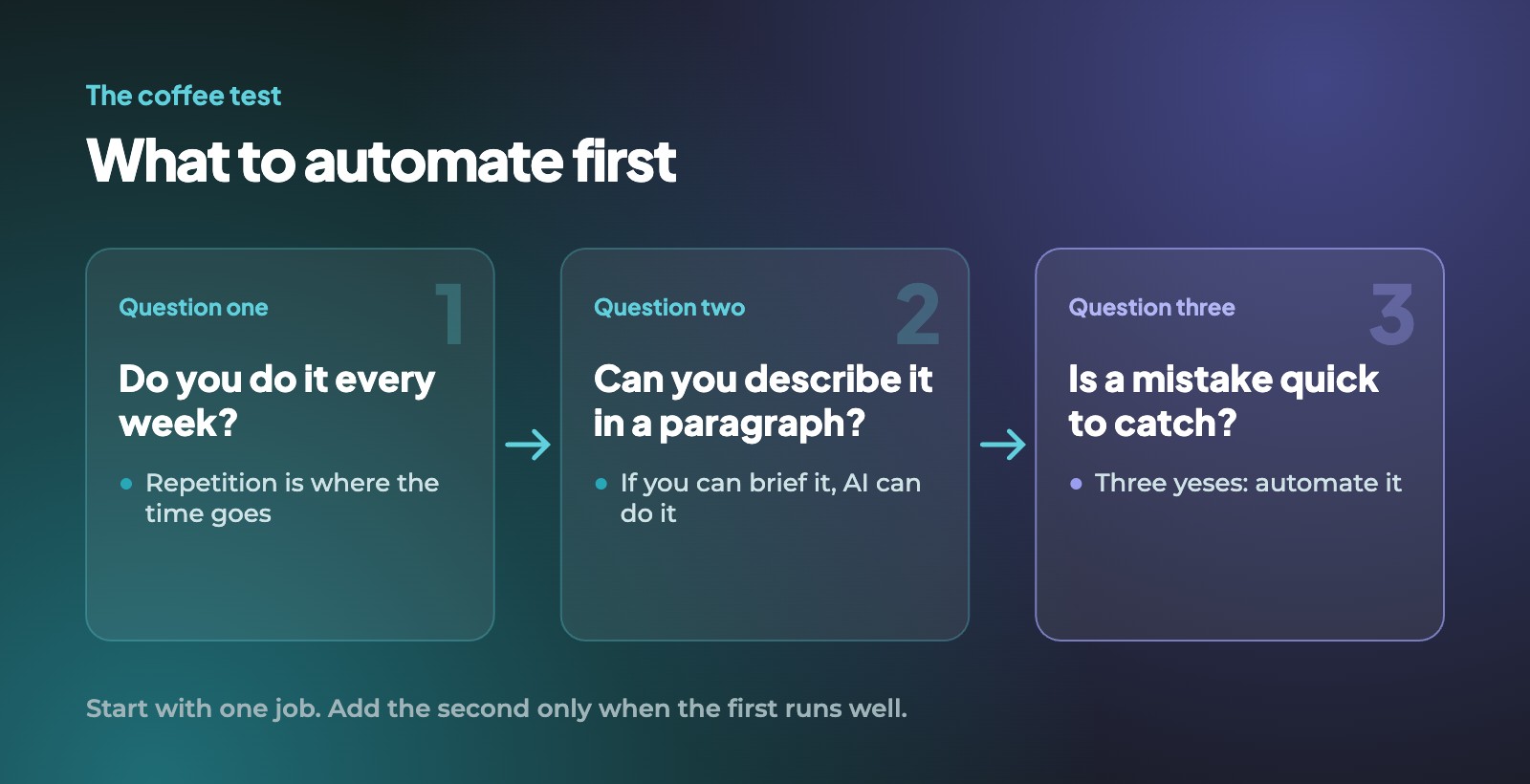
After a week you will know whether the output sounds like you. Only then add the second job.
14What I would not automate
Decisions about people. Prices, promises and anything with a signature. A first conversation with a customer. Bad news. These need judgement and a human voice, and they are the reason you are freeing up the time in the first place.
I would also not automate a mess. If a process is unclear when a person does it, AI will only do the unclear thing faster. Fix the process first, then automate it.
15Questions people ask
How do I automate my work with AI if I am not technical?
Start with a scheduled morning brief. You connect your calendar and email, describe what you want in plain words and choose a time. No code is needed.
Which tasks should I automate first?
Jobs that repeat every week, follow clear rules and are quick to check: email sorting, meeting preparation, status reports and follow-ups.
Is it safe to let AI read my email?
Connect only the accounts a job needs, read what access you are granting, and keep the rule that AI drafts and you send. Check the policy at your company before connecting work accounts.
Will AI replace my job?
It replaces the reading, sorting and chasing. The judgement, the relationships and the decisions stay with you, and you get more time for them.
Explore the tools in this article
Checklist
AI automation checklist
- 1One repetitive job chosen
- 2Only the needed tools connected
- 3Prompt written like a brief
- 4Everything approved by a person
- 5Scheduled, then reviewed weekly
Keep reading
More from the blog.


Your working day
Want your day ready before the coffee?
Tell me which jobs eat your week. I will show you which ones AI can take first.